


Solitaire: Puzzle Card Games
3.91.40K Reviews
App Specs
- Version
- 1.41.305
- Updated On
- License
- Free
- Downloads
- 10,000,000+
- Developer
- PuzzleMaker - block puzzle
- Categories
- Card
- Platform
- Android, iOS
Screenshots

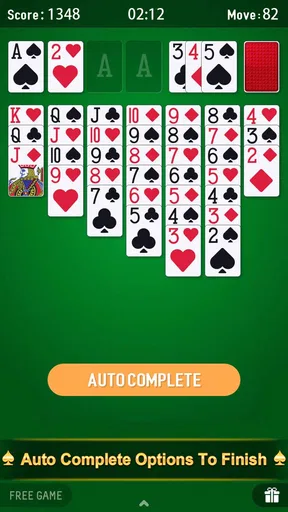
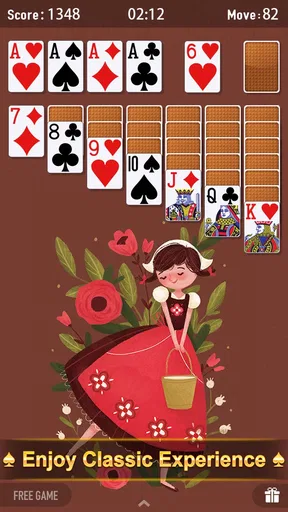
 Analysis by AppCompare
I like mobile solitaire most when it fits into the gaps in a day: a quiet few minutes before an appointment, a short break, or a familiar game while I unwind. Solitaire: Puzzle Card Games is aimed at that kind of player, pairing a recognizable card-game format with puzzle-focused play. It is a free Android card game from PuzzleMaker - block puzzle, and its straightforward premise makes it easy to understand what you are opening without needing to learn a sprawling new game world.
That familiarity is a real advantage, but it also sets expectations. I would choose this game for a low-pressure card session rather than for a deep strategy campaign or a social card room. Its appeal depends on whether the particular layout and presentation work for you, especially if you play on a smaller screen or need more time to read and move cards. The store describes it as suitable for Everyone, and it has a 4.0 average from around 15,000 ratings, but a broad age label cannot tell you whether the on-screen experience will suit your own vision, dexterity, or attention needs.
How the card game fits different players and situations
I’d use this section to judge the game in the setting where I actually plan to play, not just during a quiet first look: a brief wait, a dim room, or a moment when my attention is split can each change how comfortable the cards feel. A short trial on your own device can reveal whether the layout and touch response suit you before you make it part of your routine. That practical check also helps clarify which barriers matter most.
Readability and finding your way around
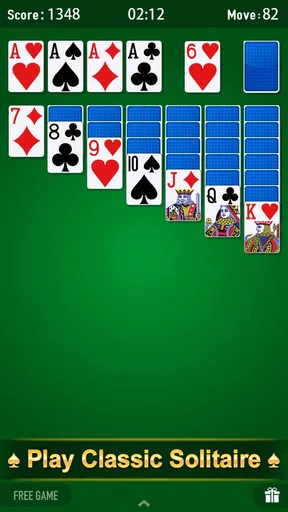
For a familiar solitaire game, the best interface is usually the one that gets out of the way: the cards should be easy to distinguish, the available moves should be understandable, and a new player should not have to hunt through menus before starting. This title’s short store description gives the basic idea immediately, so someone who already knows solitaire can decide quickly whether it is worth trying. If you are new to the game, the useful test is not how polished the opening looks but whether the rules and card movement make sense once you are actually playing.
I would take a moment at the beginning to check the card size and contrast on your own device rather than assuming that a screenshot or another person’s phone tells you enough. Screen size, brightness, and eyesight all affect how comfortably you can follow a spread. If you find yourself repeatedly leaning closer or losing track of suits, that is a practical sign that this version may not be the best fit, even if the underlying game is familiar. A larger display can help with card recognition, while a compact phone is more convenient to carry but gives the layout less room.
Touch, sound, and different ways of playing
Solitaire involves frequent small touches, so the feel of card selection matters as much as the rules. I would recommend trying a few moves slowly before settling into a long session: notice whether you can select the intended card reliably, whether a misplaced touch is easy to recover from, and whether the pace gives you room to think. That short trial can reveal more than a quick glance at the game. Players who have limited hand mobility, tremors, or difficulty making precise taps should judge the actual controls on their device rather than assume that every digital card game handles input identically.
Sound is another personal consideration. Some people like audio as feedback; others play in a shared room, use a screen reader, or prefer quiet. I would begin with the device volume low and adjust only after seeing how the game behaves in practice. When sound is not useful, a silent session can still be a good fit for a quick card break, but anyone who relies on audio cues should make sure the visual presentation gives enough information on its own. I would not treat a general age rating as evidence of accessibility support: it describes the intended audience, not how well a particular ability is accommodated.
Worth Reading Before You Choose

Flipboard Shows What News Apps Must Do Beyond the Feed

Switching to Android Auto Means Rethinking Your Driving Routine

Google Calendar Makes a Crowded Week Easier to Manage

Ludo King Makes the Most of the Minutes Between Plans

Baby Panda World Brings Quick Play to Modern Phones, but Its Game Library Feels Busy

ESPN’s Live Game View Makes Following Close Games Easier
Where a quick session works—and where it does not
A realistic use case is a short wait with your phone already in hand: you open the game, play a little, and put the device away when your name is called. Solitaire naturally suits that stop-and-start rhythm better than a match that asks you to coordinate with other people. Still, interruptions can break concentration, particularly when you are planning several moves ahead. If you tend to lose your place after a notification or a conversation, keep sessions casual instead of treating every deal as a test of perfect concentration.
It can also be a pleasant alternative to scrolling when you want one simple activity with a clear focus. On the other hand, this is not the option I would pick when I want a lively group game, a head-to-head conversation, or a substantial story. Compared with other mobile solitaire choices, the deciding factors are usually the clarity of the cards, how comfortable the controls feel, and whether the game’s pace suits you. A plain solitaire app may be preferable if you want the simplest possible presentation; a more feature-heavy card game may suit someone looking for variety or competition. I would choose based on the experience you want, not on the assumption that every solitaire app offers the same extras.
What to check before making it your regular game
The title is free to download, which makes trying it a relatively easy decision, but “free” does not automatically mean that every part of a mobile game will be free of interruptions or optional purchases. Before settling in, notice how the app handles prompts and whether they disrupt the kind of short session you want. If you prefer an uninterrupted experience, that is worth weighing early; if you are comfortable with occasional friction, it may matter much less. I would avoid spending money simply because a prompt appears—first work out whether the basic play is enjoyable on its own.
It is also sensible to consider the device you plan to use. The listed minimum is Android 6.0, and the current version is 1.39.305. Those details help establish basic compatibility, but they do not guarantee that every older device will feel equally responsive or that a layout will be comfortable at every screen size. The game has passed 10 million installs and has around 1,400 written reviews, which suggests that many people have tried it, yet popularity cannot replace your own quick test of legibility and touch accuracy.
For someone who already likes solitaire and wants a familiar card activity on Android, this is a reasonable candidate to try. I would be more cautious if you need large, highly adjustable cards, dependable accessibility tools, or a game designed around social interaction; in those cases, compare alternatives directly and test the controls before committing. The Everyone age classification makes it broadly approachable as a game, but individual comfort still depends on how the cards appear and how the touch input feels to you.
There is no single best way to play a card game on a phone. I would start with a short session in the lighting and setting where I expect to use it, check whether I can follow the cards without strain, and see whether interruptions or prompts bother me. If those basics feel comfortable, the familiar solitaire format can make this an easy game to return to. If they do not, choosing a version with a clearer layout or a different style of play is a better decision than trying to force this one to work.
Getting Started with Solitaire: Puzzle Card Games
When you first launch Solitaire: Puzzle Card Games, the interface welcomes you with a sleek and intuitive design. It’s pretty straightforward—no unnecessary frills or confusing menus. You can dive right into the game without a hitch. The app offers a quick tutorial that guides you through the basic rules, perfect for both beginners and seasoned players like myself who might need a little refresher.
Gameplay and Features
The gameplay is where this app truly shines. It sticks to the traditional rules of solitaire but adds a unique puzzle element that challenges you to think strategically. Each level presents a new set of objectives, ranging from clearing all cards to achieving a certain score within a limited number of moves. This blend of strategy and classic gameplay keeps it engaging and addictive.
The app also features daily challenges and a variety of game modes. Whether you’re in the mood for a quick game or a deep dive into puzzle-solving, there’s something here for everyone. I particularly enjoyed the tournament mode, where you can compete against other players globally. It really brings out the competitive spirit!
Visuals and Soundtrack
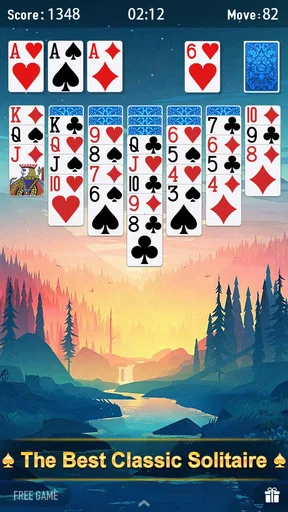
Visually, Solitaire: Puzzle Card Games is a treat. The animations are smooth, and the graphics are crisp and vibrant. The cards are easy to read, which is crucial when you’re deep into a game. The app's soundtrack is soothing and unobtrusive, providing a relaxing backdrop as you play. If you prefer complete silence or want to listen to your own music, you can easily adjust the sound settings.
In-App Purchases and Ads
Like most mobile games, this app offers in-app purchases. You can buy hints or remove ads, but the game is entirely playable without spending a dime. The ads are minimal and not too intrusive, which is a huge plus in my book. It’s nice to see a game that doesn’t bombard you with pop-ups every few minutes.
The app does an excellent job of balancing free content with optional purchases. If you’re a hardcore player looking to enhance your experience, the premium options are worth considering. However, if you’re just here for some casual fun, you’ll still have a blast without opening your wallet.
Final Thoughts
Overall, Solitaire: Puzzle Card Games is a fantastic addition to any mobile gamer’s library. It offers a fresh take on the classic game with its puzzle elements, keeping the experience both challenging and enjoyable. Whether you’re a solitaire veteran or a newcomer, you’ll find plenty to love in this app.
So, if you’re ready to embark on a journey of strategic card play and brain-teasing puzzles, head over to your app store and give Solitaire: Puzzle Card Games a download. Trust me, you won’t be disappointed!
Pros
- Intuitive interface for easy navigation.
- Daily challenges keep gameplay fresh.
- Offline mode available for on-the-go play.
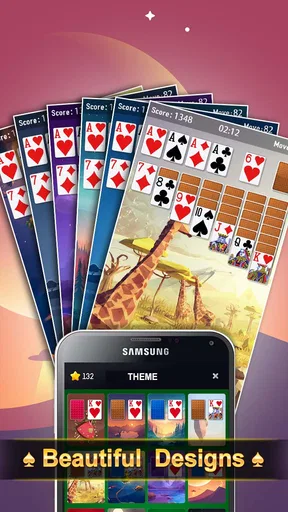
- Customizable card themes enhance experience.
- Smooth animations create a relaxing vibe.
Cons
- Ads can be intrusive during gameplay.
- Limited free card themes available.
- Occasional lag on older devices.
- Battery drain with prolonged use.
- No multiplayer or social features.
FAQs for Solitaire: Puzzle Card Games
What is Solitaire: Puzzle Card Games and how does it differ from classic solitaire?
Solitaire: Puzzle Card Games is a modern twist on the traditional solitaire game, offering unique puzzle challenges and themed card decks. Unlike classic solitaire, this app includes daily challenges, achievements, and a variety of innovative game modes that keep gameplay fresh and engaging. It's perfect for both beginners and seasoned solitaire fans looking for a new experience.
Is Solitaire: Puzzle Card Games free to download and play?
Yes, Solitaire: Puzzle Card Games is free to download and play on both Android and iOS devices. However, the app contains in-app purchases and ads. Players can choose to buy premium features or remove ads to enhance their gaming experience, but these purchases are entirely optional.
Does Solitaire: Puzzle Card Games require an internet connection to play?
No, Solitaire: Puzzle Card Games can be played offline, making it a great option for those who enjoy gaming on the go without needing a constant internet connection. However, some features like daily challenges and leaderboards may require an internet connection to update and sync progress.
What are the system requirements for installing Solitaire: Puzzle Card Games?
For Android devices, Solitaire: Puzzle Card Games requires Android version 5.0 or higher, while iOS devices need iOS 10.0 or later. The app is optimized for both smartphones and tablets, ensuring smooth gameplay across a range of devices. Make sure your device meets these requirements for the best experience.
Are there any social features in Solitaire: Puzzle Card Games?
Yes, Solitaire: Puzzle Card Games includes social features such as leaderboards and the ability to connect with friends. Players can compete to achieve high scores and share their progress. These features enhance the competitive aspect of the game, making it more engaging and interactive for users who enjoy social gaming.


